
Software development environment for mobile machine control systems
Application software development tools
Epec Software Development Environment provides a set of tools for developing, testing and diagnosing control system applications for mobile machines and commercial vehicles.
The environment includes Epec MultiTool Creator for control system configuration and code generation, Epec Application Programming Libraries with ready-to-use programming blocks, Epec MultiTool Simulator for virtual testing and software-in-the-loop (SIL) testing, and Epec MultiTool Diagnoser for diagnostics, configuration and maintenance of Epec control systems.
Together, these tools help OEMs and system developers accelerate application development, reduce programming errors and simplify the development workflow from configuration to testing and diagnostics.
The related Epec application programming libraries comply with fuctional safety requirements set by the EU Machinery Directive 2006/42/EC. More information.
› See FAQ for detailed information about required installations
Manuals
1st step: Control System Configuration – Epec MultiTool Creator
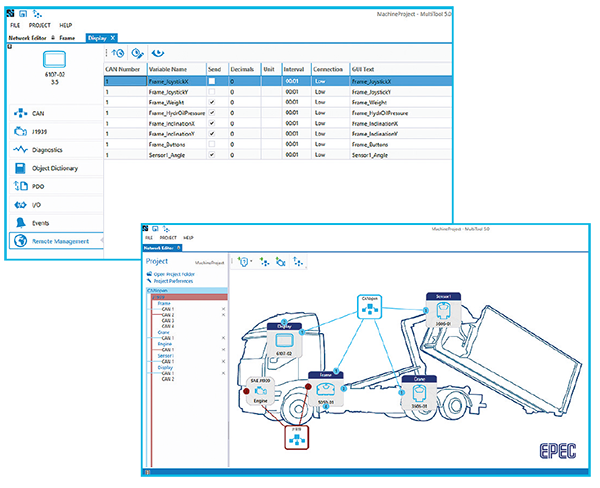
Configuration starts with Epec MultiTool Creator:
- Epec MultiTool Creator is a control system configuration and code generation tool for Epec control units.
- Just add in the control units you have in your system and configure their I/O interface, CAN communication settings, different CAN protocols, diagnostics and communication to Epec Connectivity solutions (link to connectivity page).
- MultiTool Creator generates a code template that can be used in application programming
Licensing:
MultiTool Creator 8.6 and newer versions require a license.
Choose the license option that best fits your needs:
- 30-day free trial – Full access for evaluation.
- Fixed license – Tied to one computer and can be used offline.
- Floating license – Can be shared between users and computers based on license availability.
MultiTool Creator versions earlier than 8.6 can be used without a license.
Contact Epec Sales to purchase a license.
2nd step: Application Programming – Epec Application Programming Libraries
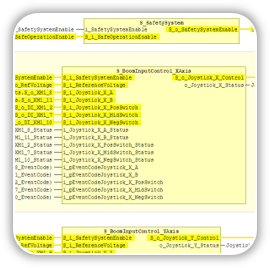
Open the code template that MultiTool Creator generated and continue programming using Epec Application Programming libraries.
- Epec libraries include ready-to-use programming blocks for commonly used sensors and actuators, such as encoders, joysticks, proportional valves, connected to either control unit I/O or CAN interface
- All Epec libraries have been built to work seamlessly together
- Using libraries shortens the programming time and reduce programming errors
3rd step: Virtual Testing and SIL Testing – Epec MultiTool Simulator
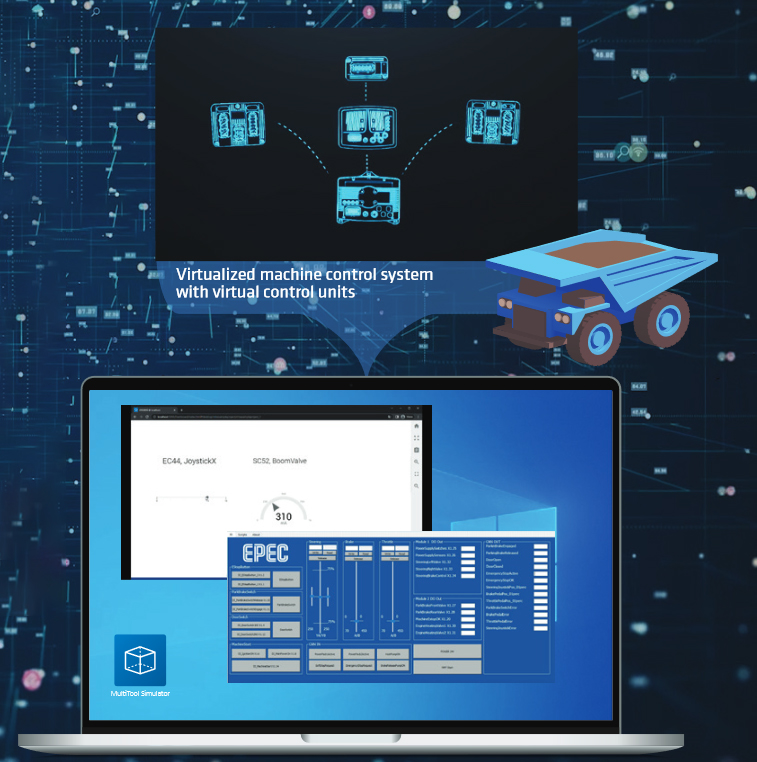
MultiTool Simulator is a virtual testing environment for Epec cntrol systems enabling:
- Accelerated SW design:
• Start the development earlier without the actual HW
• Tests can be automated or run remotely
• Quick and easy configuring - Less / no hardware simulators
- Less development testing on the actual machine
- Software-in-the-loop (SIL) testing
- Seamless integration between Epec software tools
- Multiple users using the same simulated system
- Python API to control machine functions, automated testing and to build test UIs:
• Qt, Python, Robot Framework etc.
For more detailed information, see Epec MultiTool Simulator
Licensing
MultiTool Simulator requires a license.
Choose the license option that best fits your needs:
- 30-day free trial – Full access for evaluation.
- Fixed license – Tied to one computer and can be used offline.
- Floating license – Can be shared between users and computers based on license availability.
Contact Epec Sales to purchase a license.
Diagnostics and Maintenance – Epec MultiTool Diagnoser
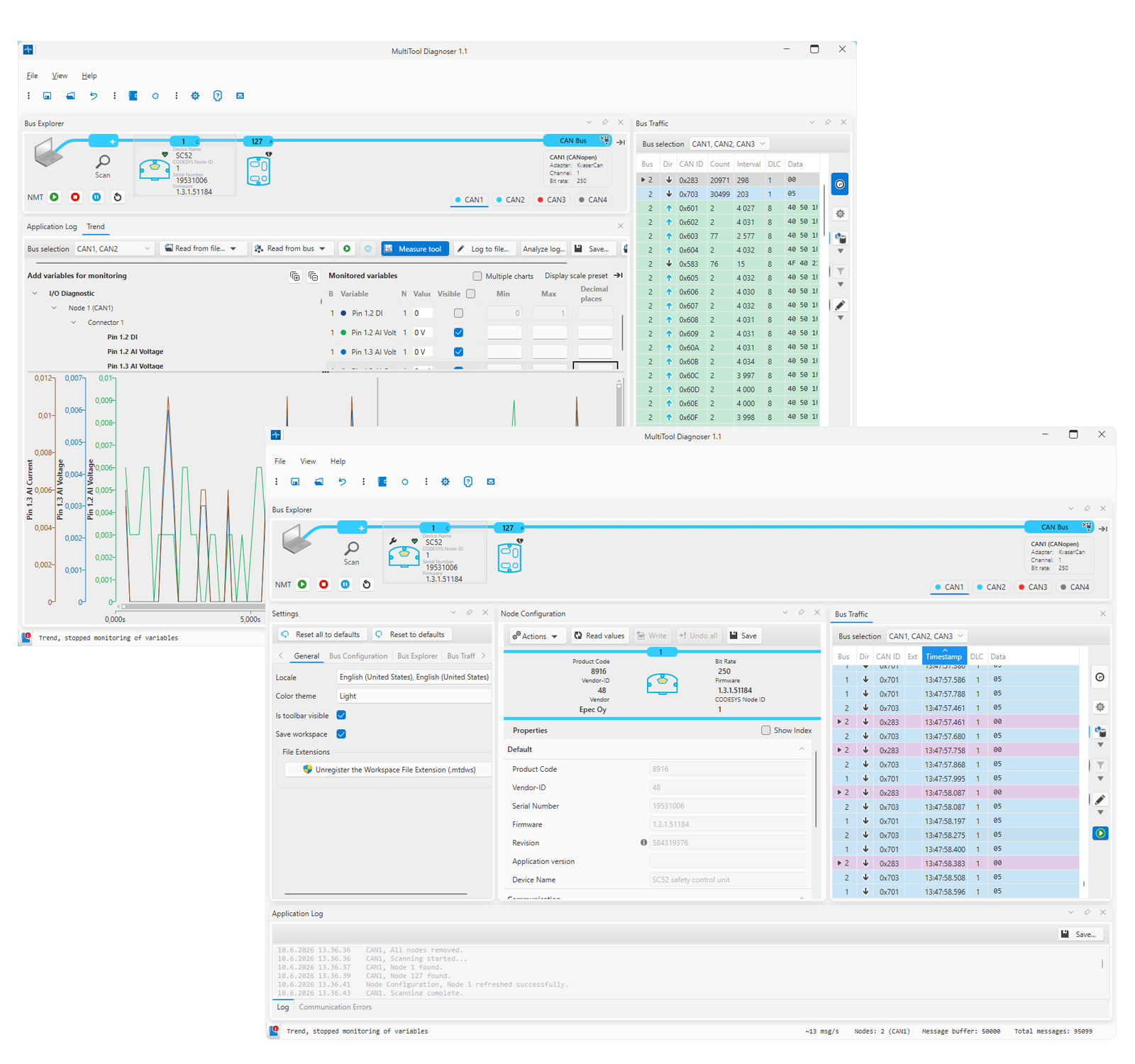
Epec MultiTool Diagnoser is a diagnostics tool to monitor, diagnose and configure devices connected on CAN bus.
- Download application to Epec devices
- Update firmware to Epec devices
- Read hardware related information from devices (such as hardware revision, firmware version and serial number)
- Adjust communication and application parameters
- Monitor CAN messages and save for offline diagnostics
- MultiTool Diagnoser works seamlessly with other Epec software development tools to maximize the productivity in control system project development
Download the MultiTool Diagnoser from Epec Extranet. For Extranet credentials, contact sales@epec.fi.
Licensing
MultiTool Diagnoser is available as a free version with limited features or as a licensed full version.
Choose the option that best fits your needs:
- Free version – Access to basic diagnostic features.
- 30-day free trial – Full access for evaluation.
- Fixed license – Tied to one computer and can be used offline.
Contact Epec Sales to purchase a license.
FAQ
What is Epec MultiTool Creator?
Epec MultiTool Creator is a control system configuration and code generation tool for Epec control units. It is used to configure I/O, CAN communication, protocols, diagnostics and other control system functionality.
Can I develop and test an Epec application without physical hardware?
Yes. Epec MultiTool Simulator provides a virtual testing environment that enables software-in-the-loop (SIL) testing and application development without the actual control system hardware.
What is Epec MultiTool Diagnoser used for?
Epec MultiTool Diagnoser is used to diagnose, configure and maintain Epec devices connected to a CAN bus, including application downloads, firmware updates, parameter configuration and CAN monitoring.
INTERESTED?
FINNISH KNOWLEDGE
tested, designed and produced in finland.
Epec control systems are made 100% in Finland. We are a control system expert, specializing in intelligent control systems and information systems for even the most demanding conditions. Epec’s organization and processes have been fine tuned to cooperate with large international customers.
